![MicrosoftTeams-image6f6e78ac5251452f5e9d5419521926001b2457277276701c3aff0c935893efe05f359183e579e81145254f68fa804b37b1631dcaf07986d136aeb8e94ed62bd3.png]](https://support.mediroutes.com/hs-fs/hubfs/MicrosoftTeams-image6f6e78ac5251452f5e9d5419521926001b2457277276701c3aff0c935893efe05f359183e579e81145254f68fa804b37b1631dcaf07986d136aeb8e94ed62bd3.png?height=50&name=MicrosoftTeams-image6f6e78ac5251452f5e9d5419521926001b2457277276701c3aff0c935893efe05f359183e579e81145254f68fa804b37b1631dcaf07986d136aeb8e94ed62bd3.png)
Step 1 - Locate Will Call Trips
A - Navigate to the Dispatch Screen
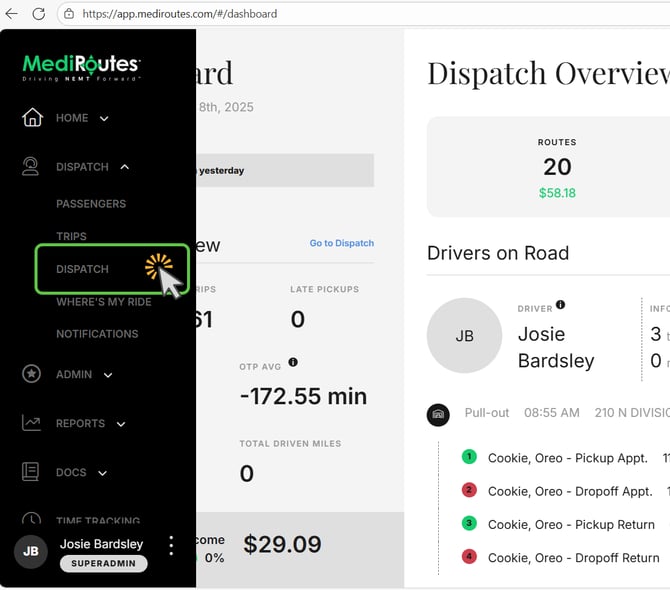
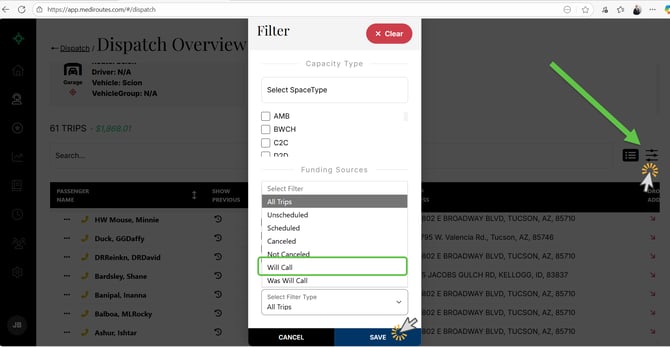
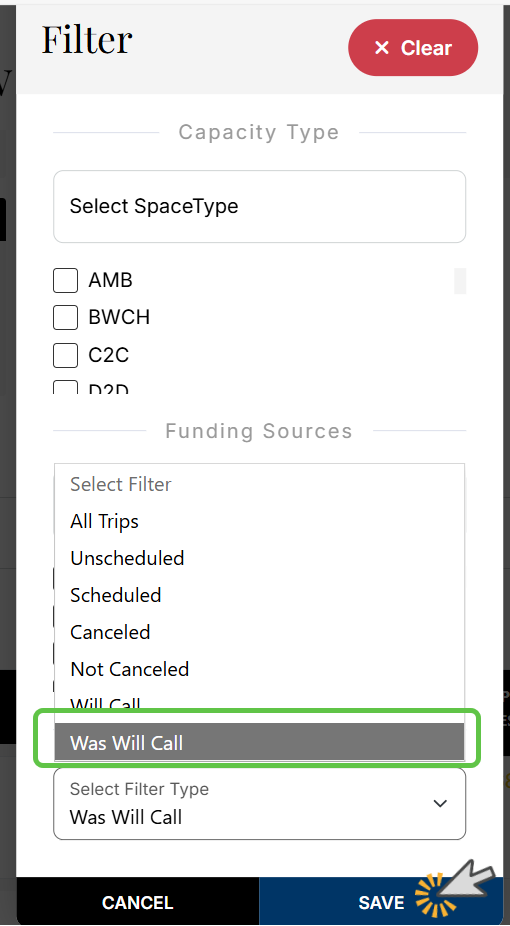
B - Click on the filters option and in the Select Filter Type Click the option that says " Will Call" Click Save to activate this filter view
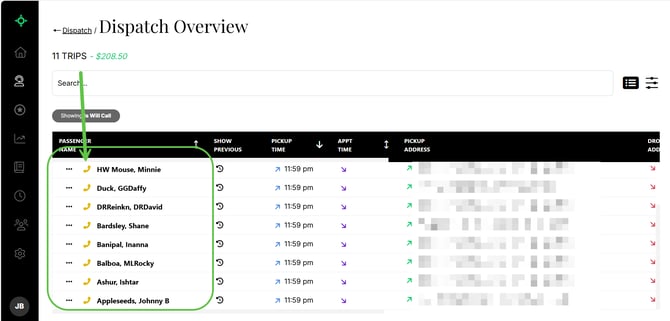
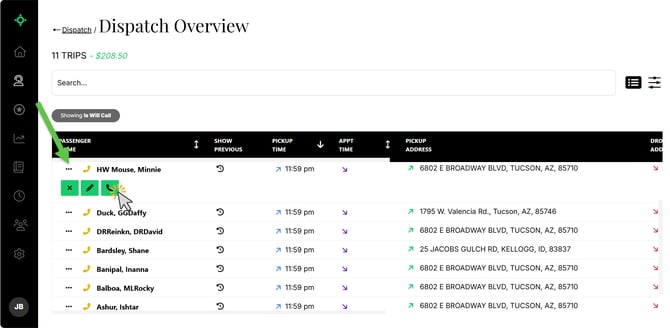
C - Find the will call trip in the list and click on the three dots to see your trips options (...) . You will click on the phone icon to activate the will call trip
D - You manually edit the time the passenger will be ready by entering in the time in the boxes Hours and Minutes (it will default to the current time if the passenger is ready now). Click Mark Ready for pick up to activate the will call.
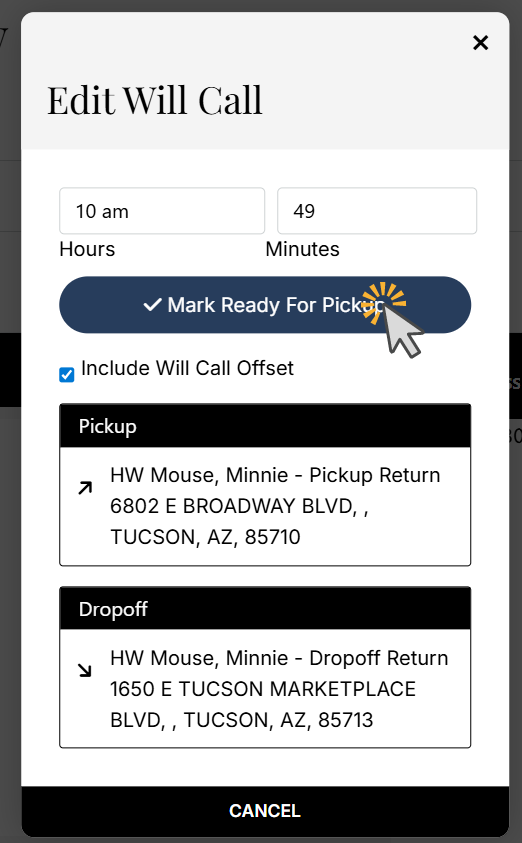
E - The trip is now active and can be assigned to a run.
Assigning the trip using the Trip Options:
Change the filter View to Was Will Call:
To access Trip Options, click the three dots located to the left of the passenger’s name.
If you are using a mobile device and the three dots are not visible, simply tap the passenger’s name to open the Trip Options menu.
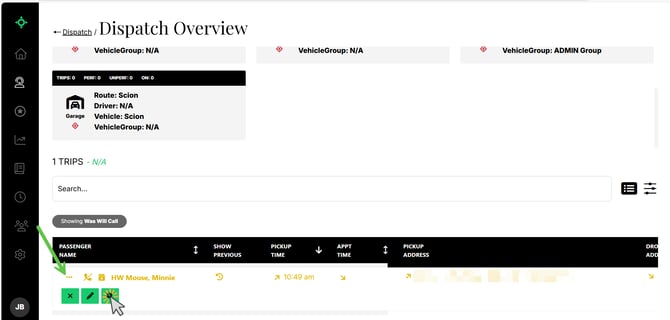
The primary Trip Options you will see include:
-
X (Cancel): Cancels the trip.
-
Pencil (Edit): Opens the trip details so you can make changes.
-
Magnifying Glass (Shop/Schedule): Allows you to shop or schedule the trip.
-
Note: Scheduled trips will not display the magnifying glass option.
-
When shopping or scheduling a trip, select the Run you want to assign the trip to, then click Save Route to add it to the selected Run.
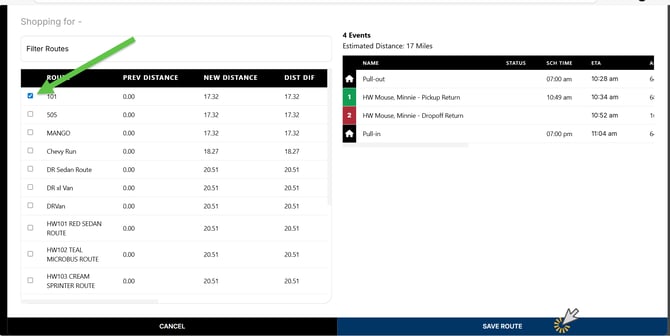
To shop or schedule a trip, click the magnifying glass icon. Then:
-
On the left side of the Shopping window, select the Run you want to assign the trip to.
-
On the right side, you will see a preview of where the trip will be placed within that Run’s schedule.
-
Click Save Route to schedule the trip to the selected Run.
The trip is now assigned to that Run.