Before you start: Inspections must be created by an account administrator. Click here to learn how to create Vehicle Inspections.
MediRoutes doesn’t currently have a way to require inspection completion in the driver app, so drivers will need to be trained and reminded to complete their inspections.
-
Open the MediRoutes Driver App.
-
Login using your MediRoutes
usernameandpassword. -
Enter the
runandvehicleID - Click
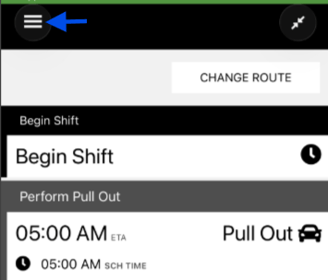
Today's Schedule - Open the
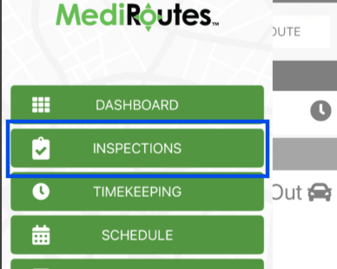
Menu - Click
Inpsections - Complete the Inspection
- Click
Submit Inspection - Confirm the
Driver Agreement - Sign
Once submitted, inspections cannot be changed.