Overview
Drivers use the Inspections feature in the MediRoutes Mobile App to complete required vehicle or safety inspections.
Inspections help:
- Ensure vehicles are safe to operate
- Record needed information
- Meet company and broker requirements
This guide explains how to complete and submit inspections using the mobile app.
How to Complete an Inspection
- Open the MediRoutes Mobile App
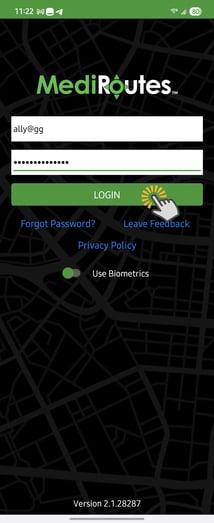
- Log in using your MediRoutes username and password
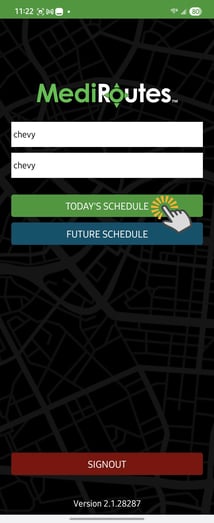
- Log in to your run and vehicle to open your main schedule screen
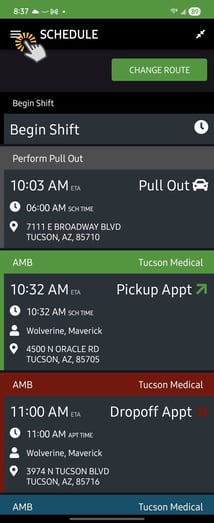
- Open the Menu
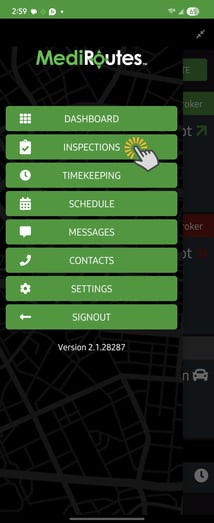
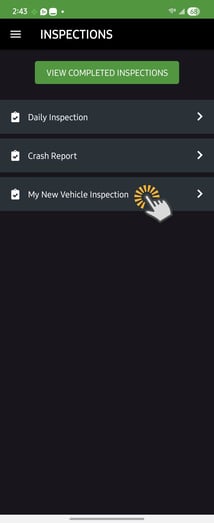
- Select Inspections
- Select the inspection you need to complete
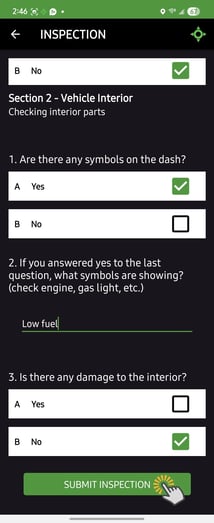
- Answer all questions
- Tap Submit Inspection
- Confirm the driver agreement and sign
Your inspection will be recorded once submitted.
Important Notes
- Read each question carefully before answering
- Make sure every question is completed
- Once submitted, inspections cannot be changed
- Contact your administrator if the inspection is not visible
If you run into any issues completing inspections, contact MediRoutes Support.