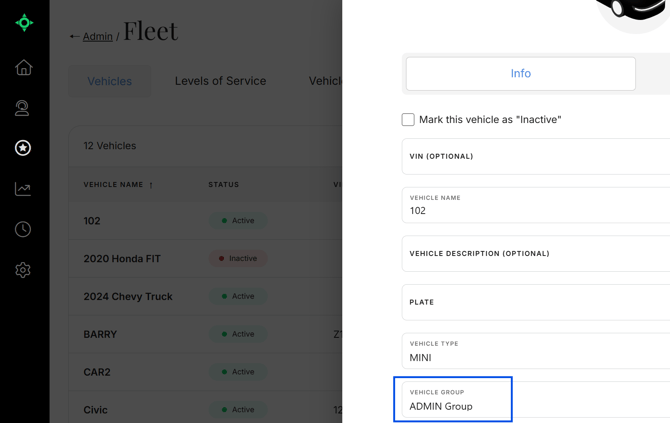
What a Vehicle Group is
A Vehicle Group is a way to organize vehicles so the MediRoutes' scheduling tool does not treat your entire fleet as one interchangeable pool. It creates boundaries, or rules, so trips are matched with the vehicles that should serve them, rather than considering every available vehicle as though they are all the same.
When to create one
Create a Vehicle Group when you want to control which vehicles are considered for certain trips. This is especially helpful when you cover a large service area, operate across multiple cities or regions, or want specific vehicles prioritized for the trips in their area. For example, you can align ZIP Code Groups with Vehicle Groups so trips originating from a given area are scheduled with the vehicles assigned to that group.
Note: A Vehicle Group can be created before or after creating vehicles.
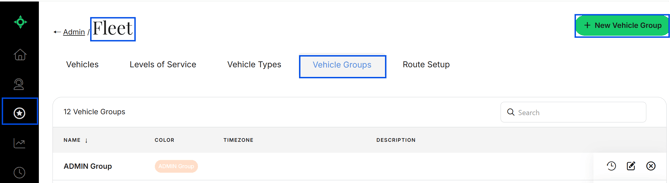
How to Create one
- Navigate to
Admin->Fleet - Click
Vehicle Groups - Click
+ New Vehicle Group - Complete all required information
- Click
Save
How to Apply one
- Navigate to
Vehicles - Add a New Vehicle or Edit an existing Vehicle
- Select the
Vehicle Group - Click
Save