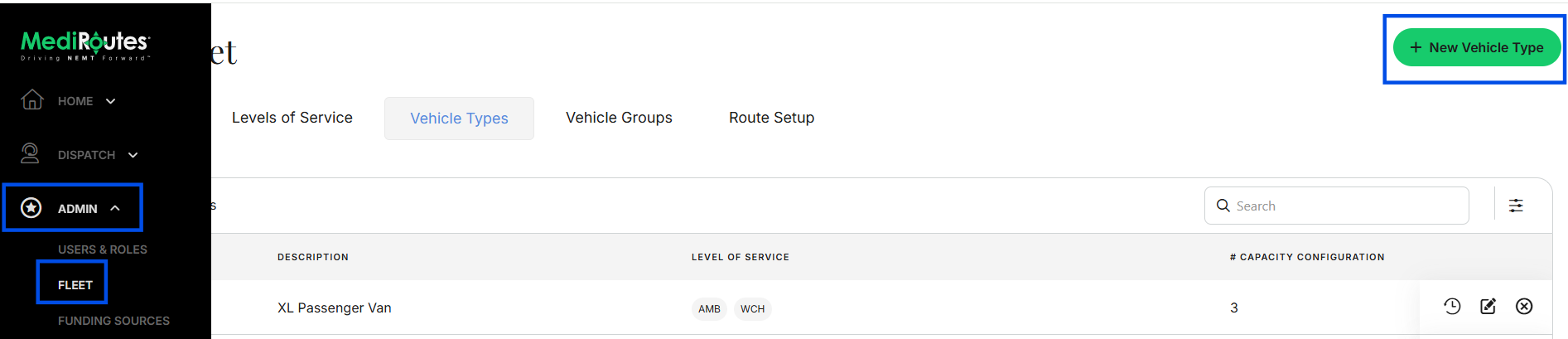
What a Vehicle Type is
A Vehicle Type is a template for a class of vehicle. It sets the passenger types ie, your Levels of Service, that the class can carry and how many riders it can take at once for multi-load trips. Vehicles inherit their capacity and eligibility from the Vehicle Type you assign.
When to add one
Add a new Vehicle Type only when a new vehicle does not match a type you already have. If an existing Vehicle Type already describes the vehicle, you do not need to create a new one.
Important: A Vehicle Type is built from your Levels of Service. If the transport type you need is not available yet, ie you can now transport Bariatric Wheelchairs and you have never done so in the past, create the Level of Service first. Click here to learn more about Levels of Service.
- Navigate to
Admin->Fleet - Click
Vehicle Types - Click
+ New Vehicle Type - Complete all required information
- Click
Save - After creating a Vehicle Type, continue with your fleet setup: create the vehicle, then the route. See Fleet Overview for more information.