Driver Messaging lets you communicate with drivers directly from MediRoutes - no need to switch to a phone or third-party app. Messages are delivered to the driver's device in real time, keeping dispatch and drivers connected throughout the day.
How to message a driver
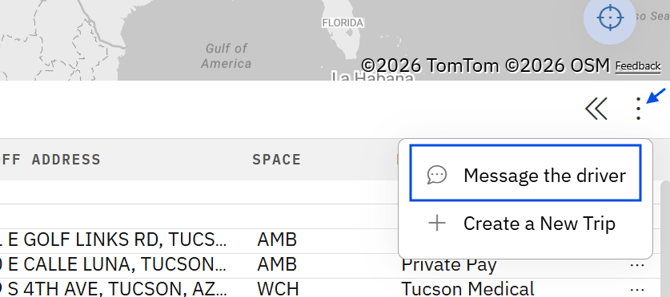
- Click the
three dotson the far righthand side of the Trip List - Click
Message the driver - Select one or multiple drivers to broadcast message to
- Type the message
- Click
send
Viewing message history
To review past messages with a driver:
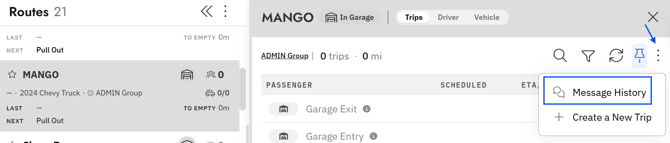
- Click the
driver's routefrom the Routes panel - Click the
three dots - Select
Message History
Use Driver Messaging for fleet-wide announcements to save time.