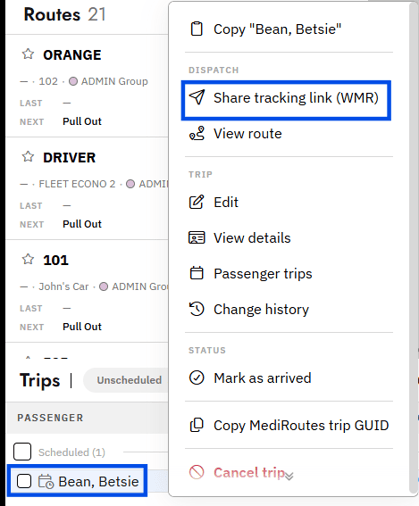
Important: The trip must be scheduled; unscheduled trips do not have a Where's My Ride link to share.
-
Right-click the
trip - Click share
tracking link (WMR) - Copy the
link - Send the
linkto the passenger
Tip: Send out scheduled notifications to all or a subset of passengers with MediRoutes. To learn more contact MediRoutes Support at support@mediroutes.com or 855-393-3009