Overview
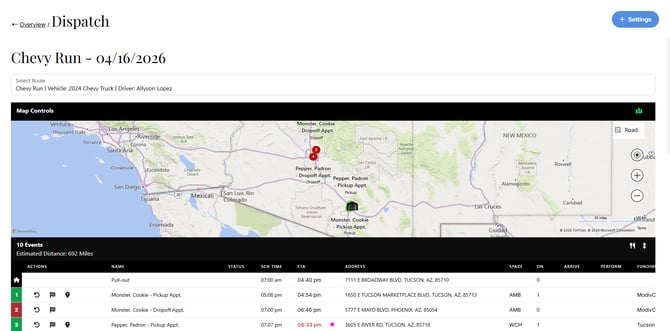
The Dispatch Run View in MediRoutes Online provides dispatchers with a centralized view of a driver’s run, including scheduled trips, route order, and real-time trip activity.
From this view, users can:
- Monitor trip progress and statuses
- View and manage the run schedule
- Perform trip events
- Move or reorder trips within a run
- Manage will call trips
The Dispatch Run View allows dispatchers to quickly make updates and ensure trips are completed efficiently throughout the day.
How to Access the Dispatch Run View
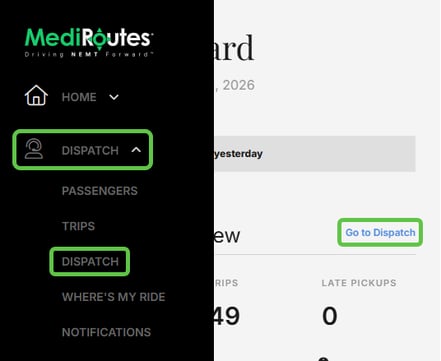
- Navigate to the Dispatch section in MediRoutes Online
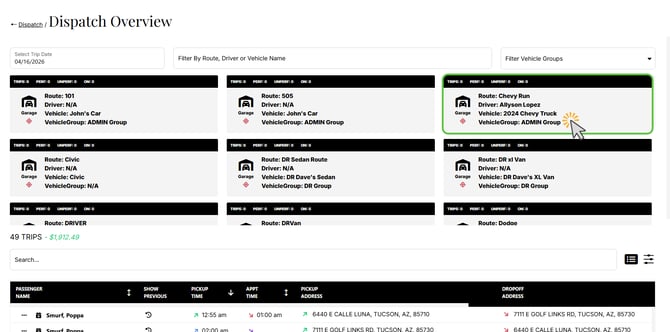
- Locate the desired run
- Click on the run to open the Dispatch Run View
What You Can Do in Run View
The Dispatch Run View provides several tools for managing trips and runs.
View the Run Schedule
- See all trips assigned to the run
- View trip order and timing
- Identify upcoming and completed trips
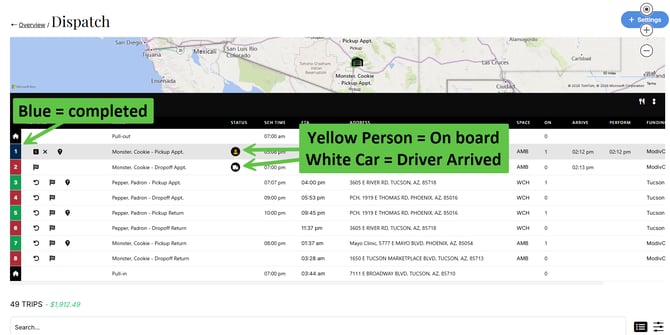
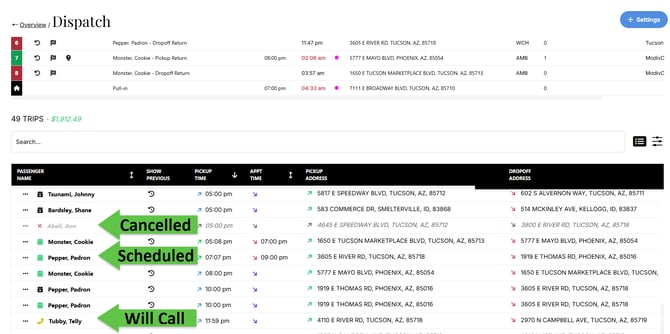
Monitor Trip Statuses
- Track real-time updates for each trip
- View statuses such as:
- Scheduled
- Arrived
- Completed
Perform Trip Events
Dispatchers can perform trip actions directly from this view, including:
- Arrive
- Perform
- Unschedule
- Cancel (if needed)
- Access Where's My Ride (WMR)
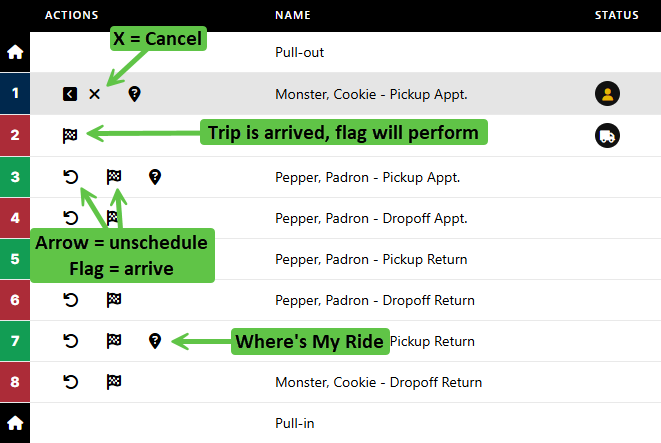
The cancel option here will mark the trip as a no show/dry run. To mark a trip as an advanced cancel, first unschedule it, then locate it in your trip list. Open the trip options (three dots) and select the green X button.
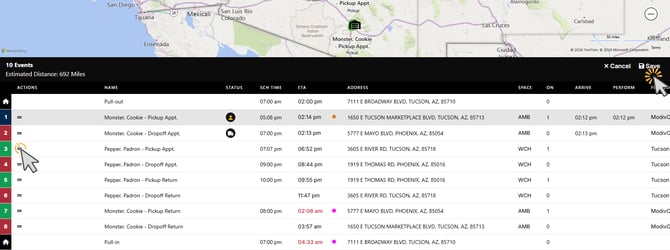
Reorder or Move Trips
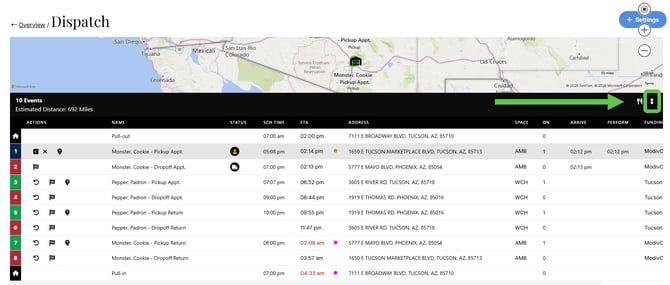
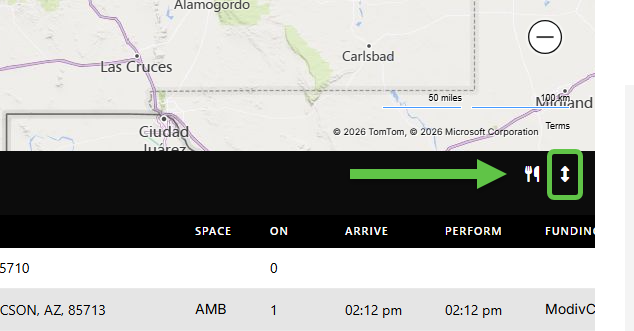
- Adjust the order of trips within the run (click the double arrow)
- Move trips to different positions as needed (click and drag the lines on the left)
- Click Save after moving trip events
Manage Will Call Trips
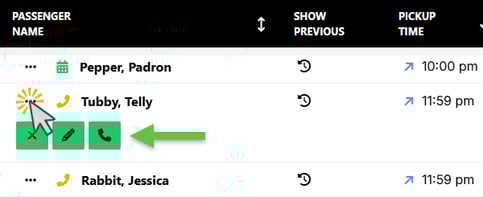
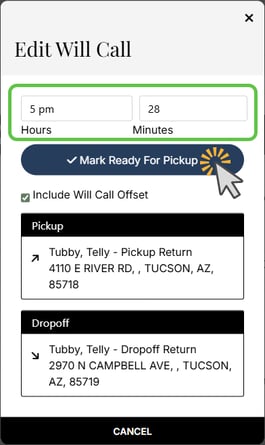
- Assign or activate will call trips
- Click trip options and select the phone
- Set the pickup time and mark ready for pickup
- Shop or force the trip onto the run using the trip options
- Monitor when will call trips are ready to be scheduled
Scheduling Trips for a Future Date?
-
Go back to Dispatch Overview.
-
Click the Select Trip Date field.
-
Choose the future date you want to schedule for.
-
Click on the Run (Route) where you would like to add the trips.
- Shop trips as normal.
For more information, please see our guide for MediRoutes Online Dispatch Dashboard.
When Should I Use Run View?
The Dispatch Run View is best used when managing a specific driver’s run in detail.
Use Run View when you need to:
- Focus on one driver or route
- Monitor and update trip statuses in real time
- Reorder trips within a run
- Perform trip events on behalf of a driver
When to Use Other Views
You may want to use other dispatch views when:
- Managing multiple runs at once
- Reviewing trips across all drivers
- Performing bulk scheduling or assignments
Still need help? Try our Online Dispatch Dashboard guide or contact MediRoutes Support.