What a Time Zone is
Each user in MediRoutes has a Time Zone. MediRoutes uses it to show trip times for that user, so it should match where the user actually works.
When to set one
Set the Time Zone when you create a new user, and check it any time a dispatcher says trip times look one or two hours off. You don't need to change it for users whose times already look right.
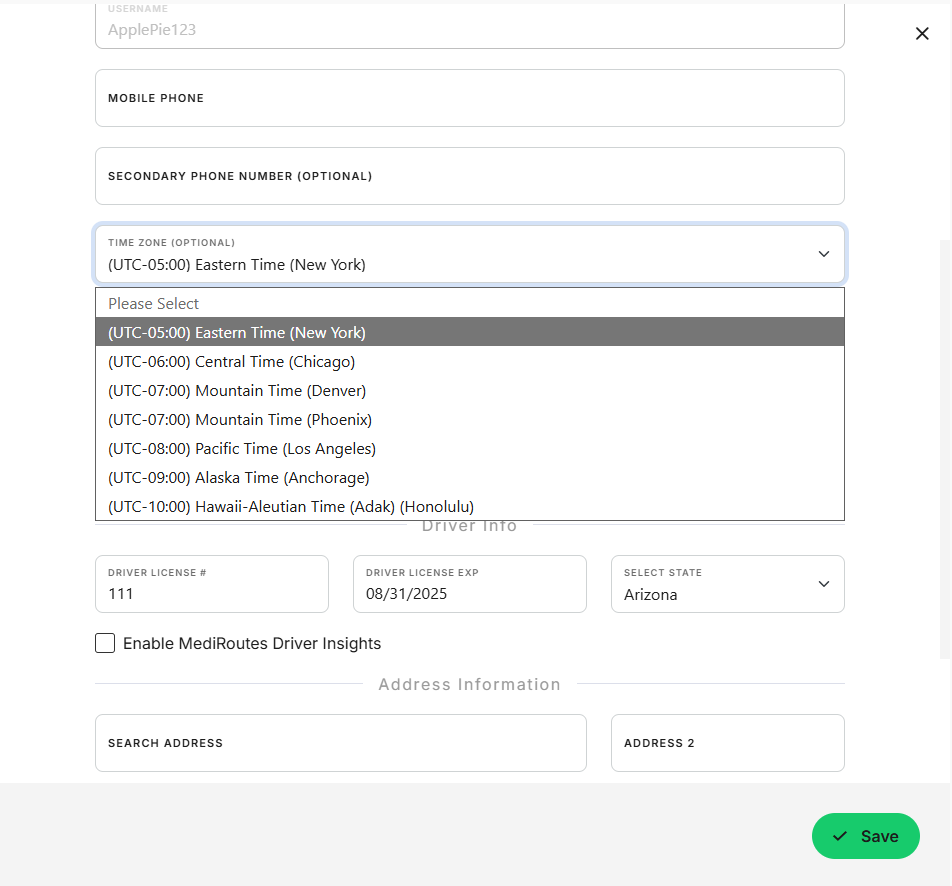
Important: Arizona doesn't change its clocks for daylight savings time. If your company is in Arizona, set your users to Arizona, not Mountain. A user set to Mountain will see trip times one hour off for part of the year.
How to set a user's Time Zone
- Navigate to
Admin->Users and Roles - Click the user's name, or Click
New Userto create one - Select the user's
Time Zone - Click
Save
Tip: Hawaii and Alaska are also in the Time Zone list.
Related Articles
Revised October 8, 2026