Trip Statuses Overview
A trip's status tells you where that trip stands at any moment. Statuses are normally advanced by the driver in the driver app, which records a GPS location and timestamp at the moment each event occurs. A dispatcher can also set a status when the driver is unable to. See How to Update Trip Statuses as a Dispatchter for that procedure.
The Trip Lifecycle
A trip typically moves through the following sequence:
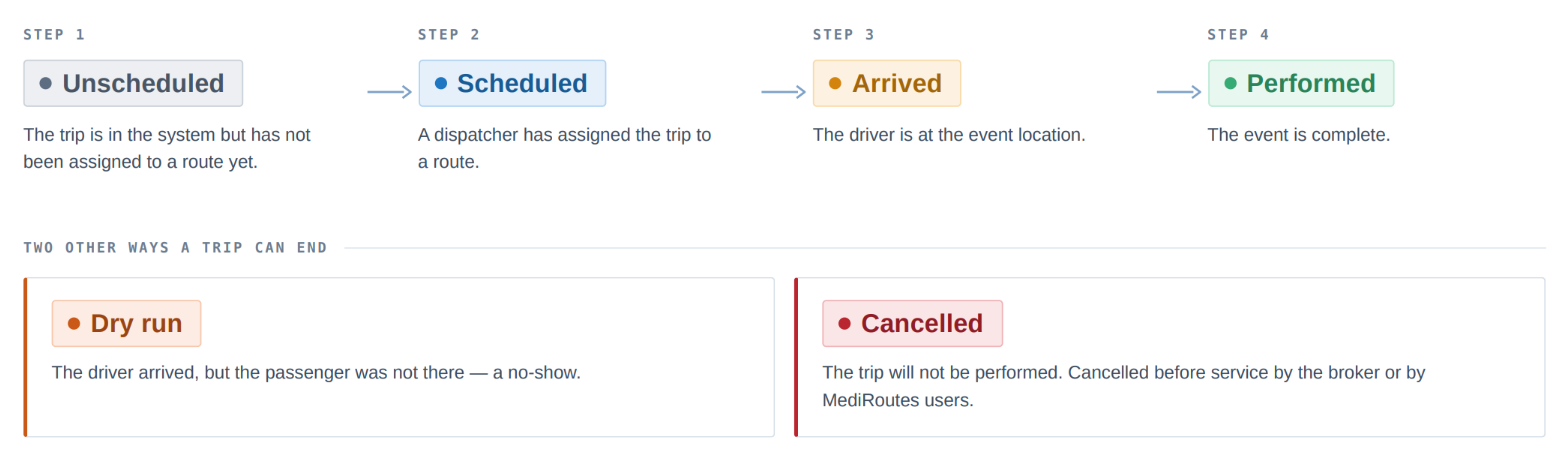
Unscheduled → Scheduled → Arrived → Performed
Two outcomes take a trip out of that sequence:
- Dry run — the driver arrived, but the passenger was not there. This is a no-show.
- Cancelled — the trip will not be performed, and was cancelled before service either by the broker or one of your users.
Trip Legs and Events
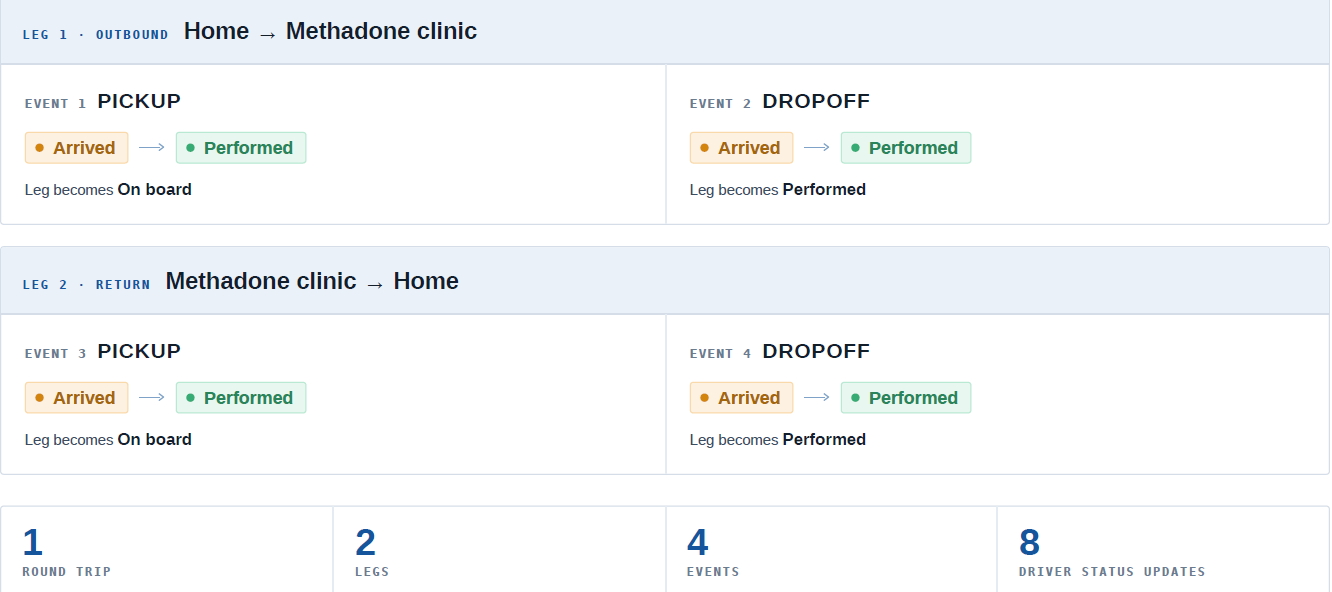
Statuses are applied at two levels: to the leg and to each event within that leg. A leg has two events: a pickup event and a dropoff event. Each event is completed in two steps: the driver arrives at the location, and then performs the event. A round trip is therefore two legs and four events, each with its own arrive and perform action.
Example — a passenger travels to a methadone clinic and back:
| Leg | Event | Arrive | Perform |
|---|---|---|---|
| A-leg (outbound) | Pickup | Driver arrives at the passenger's home | Passenger gets into the vehicle |
| A-leg (outbound) | Dropoff | Driver arrives at the clinic | Passenger gets out of the vehicle |
| B-leg (return) | Pickup | Driver arrives at the clinic | Passenger gets into the vehicle |
| B-leg (return) | Dropoff | Driver arrives at the passenger's home | Passenger gets out of the vehicle |
Both legs appear as separate rows on the Route's schedule, distinguished by their direction indicators and pickup times.
Event status and leg status work together. Each event carries its own status, and those event statuses drive the status of the leg overall. Performing the pickup event moves the leg to on board; performing the dropoff event moves the leg to performed.
Status Definitions
| Status | What it means | Typically set by |
|---|---|---|
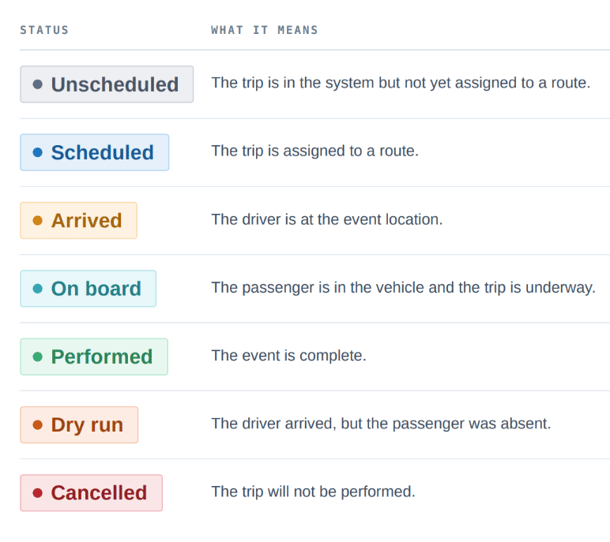
| Unscheduled | The trip is in the system but has not yet been assigned to a route | Staff manually creating trips, importing files, or from broker integrations |
| Scheduled | The trip is assigned to a route | Dispatcher or scheduler |
| Arrived | The driver is at the event location | Driver |
| Performed | The event is complete | Driver |
| On board | The passenger is in the vehicle and the trip to the destination is underway | Set automatically once the pickup event is performed |
| Dry run | The driver arrived, but the passenger was not there. This is a no-show | Driver |
| Cancelled | The trip will not be performed. Cancelled before service by the broker or by one of your users | Broker, or dispatcher based on notice from the facility or passenger |