Overview
If trips are imported under the wrong funding source in MediRoutes, they can often be corrected quickly depending on the trip file.
The issue can be resolved by:
- Re-importing the file with the correct funding source, or
- Manually updating the affected trips
The correct method depends on whether the trip file contains unique trip numbers.
Quick Fix: Re-Import the File
If your trip file contains unique trip numbers for each trip, you can correct the issue by re-importing the file.
How It Works
When trips are imported with unique trip numbers:
- MediRoutes recognizes the trips as existing records
- Re-importing updates the trips instead of creating duplicates
Steps to Fix
- Go to the import page
- Select the correct funding source
- Upload the file again
- Wait for import process to complete
All trips will be updated to the correct funding source.
When Re-Importing Will NOT Work
If the trip file does not contain unique trip numbers:
- MediRoutes cannot match trips during re-import
- Trips will not update automatically
- Duplicate trips may be created
Manual Fix: Update Trips Individually
If your trip file does not contain unique trip numbers, trips must be updated manually.
Important:
This method is more time-consuming and should be used only when re-importing is not an option.
Steps to Update Trips
- Navigate to the Home tab
- Select the date the trips were imported
- Filter trips by the incorrect funding source
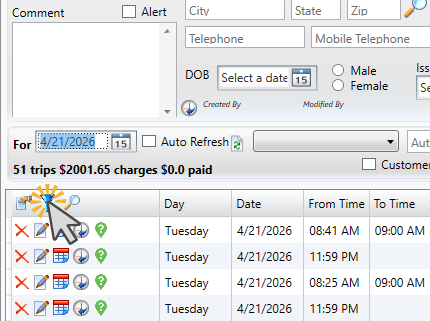
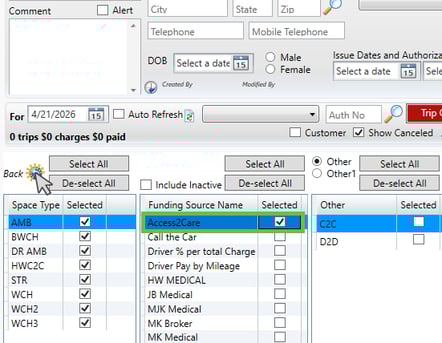
- Click the pencil (Edit) icon
- In the edit view, locate the Charges section
- Find the Funding Source field
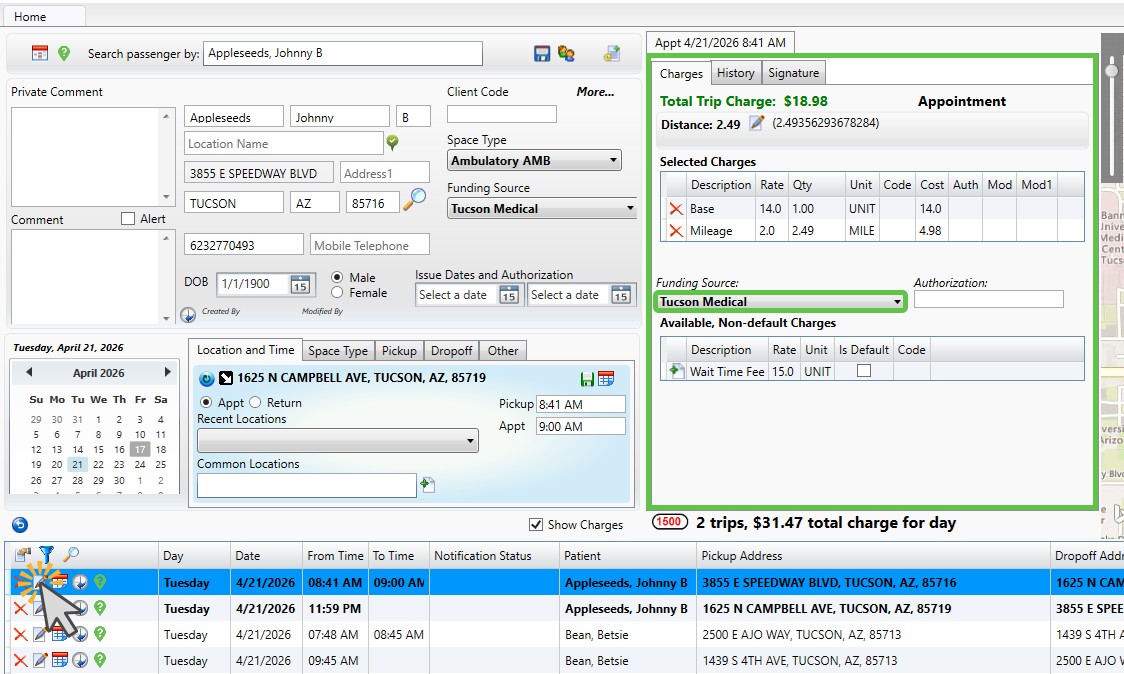
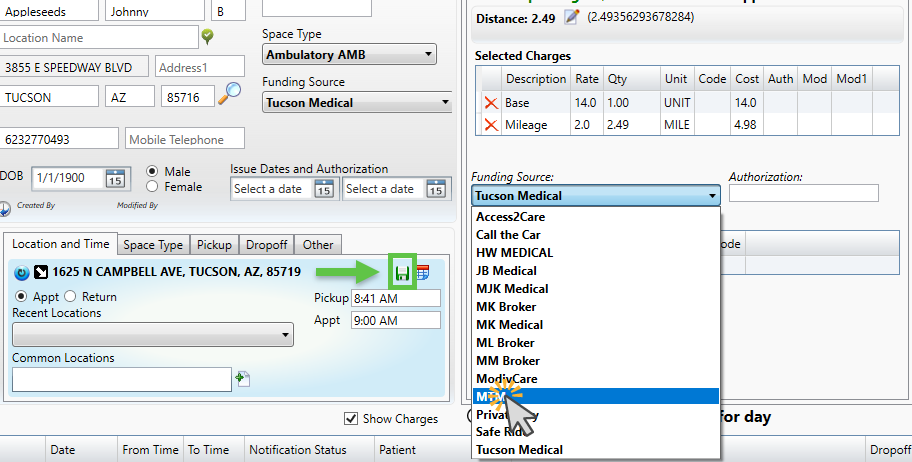
- Click the field and select the correct funding source
- Click the green floppy disk (Save) icon
Tip:
Keep your filter applied so you only see the affected trips while making updates.
Best Practices
- Double-check the funding source selection before importing
- Test imports with a small file before large uploads
- Keep a copy of original import files for corrections
Need more help? Contact MediRoutes Support