A Will Call trip is a return trip without a set pickup time. This is common when a passenger's appointment end time is unknown. The trip stays in Will Call status until the passenger is ready, at which point you activate it and schedule the pickup.
How to Activate a Will Call Trip
- Select your service date from the calendar in the Magic Bar.
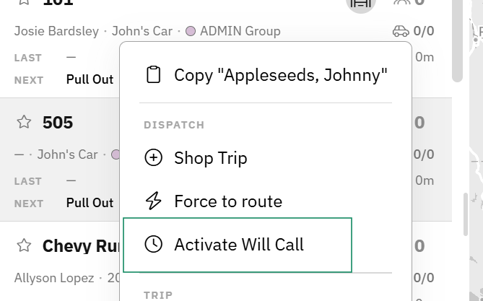
- Right Click the trip in your Trip List.
- Click Activate Will Call
- Confirm or adjust the pickup time based on when the passenger will be ready.
- Schedule the activated trip using
Shop Tripfor ranked route recommendations orForce to Routeto assign it manually.
Tip: Activate Will Call trips as soon as the passenger calls in — the sooner the trip is active, the more scheduling options you'll have across your routes.
Best Practices
- Review your Will Call list throughout the day so no return trips are missed.
- Use Shop Trip when activating during busy periods — ranked recommendations help you find the best fit without disrupting existing routes.
- Confirm passenger readiness and pickup location before activating to avoid driver wait time.