What a Vehicle is
A Vehicle is an individual unit in your fleet, based on a Vehicle Type. The Vehicle TYPE controls which passenger types- wheelchair, ambulatory, stretcher- it can carry and how many riders it can take at once for multi-load trips.
When to add one
Add a Vehicle each time you bring a new vehicle into your fleet
Important: A Vehicle is based on a Vehicle Type. If the right Vehicle Type does not exist yet, create it first. Click here to learn more about Vehicle Types
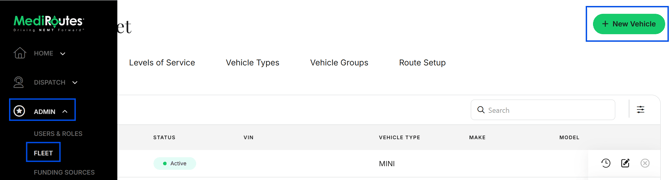
- Navigate to
Admin->Fleet - Click
Vehicles - Click
+ New Vehicle - Complete all required information
- Click
Save - After creating a Vehicle, continue with your fleet setup: create the route it will run. See Fleet Overview for more information.